ChatGPT Prompts for Writing a Novel, Plus Claude and Gemini: How to Keep AI From Forgetting Your Story Details
Whether you write your novel with ChatGPT, Claude or Gemini, the best way to stop the AI from forgetting details is to keep a story bible (established facts, a list of names, and a short summary of each chapter) and hand it over every time you ask for a chapter. This article shows where to keep the story bible in each of the three AIs, gives you ChatGPT prompts for writing a novel that you can copy as they are, and explains how to fix inconsistencies when you spot them.
Key takeaways
- The way to stop AI from forgetting details is the same in all three AIs: keep a story bible and hand it over every time you ask for a chapter
- Split the story bible into three parts: established facts, a list of names, and chapter summaries
- As a rule of thumb, keep it in a project in ChatGPT and Claude, and in a notebook or a skill in Gemini
- Fix inconsistencies one at a time, and add every corrected fact to the story bible
Why does AI forget your novel's details? The fix that works in all three AIs
Whether you write with ChatGPT, Claude or Gemini, the way to stop the AI from forgetting details is the same: keep a story bible for your novel and hand it to the AI every time you ask for a chapter. The only thing that differs between the three AIs is where you keep that story bible.
One reason is that there is a limit to how much an AI can read at once. Features that remember past conversations don't keep every detail either. The official help says that on Claude's paid plans, with the "Code execution" setting turned on, earlier messages are summarized when a conversation gets close to its limit, and that ChatGPT's memory doesn't keep every detail either. After a summary, there's no guarantee that things like "what the main character is called" or "the clue planted in chapter 2" survive.
Think of a TV screenwriter who keeps the cast list and the "previously on" summary next to them for every episode. Instead of relying on memory, showing the rules every time is the reliable way.
The whole process, from preparation to publishing, is covered in How to write a novel with AI (7 steps). This article focuses on how to ask each of the three AIs and on the tools that prevent inconsistencies.
| AI | Where to keep the story bible | Where to put writing instructions | Watch out for |
|---|---|---|---|
| ChatGPT | Project files (pasted text also works) | Project instructions | Don't put story details in custom instructions (they apply to every chat) |
| Claude | Project knowledge (the reference material you add) | Project instructions | The free plan lets you create up to 5 projects |
| Gemini | Notebook sources, or files attached to a skill | Notebook instructions, or a skill | Gems on personal accounts (18 and over) become read-only on November 17, 2026 and are deleted on December 17 |
Build a story bible: established facts, names and chapter summaries
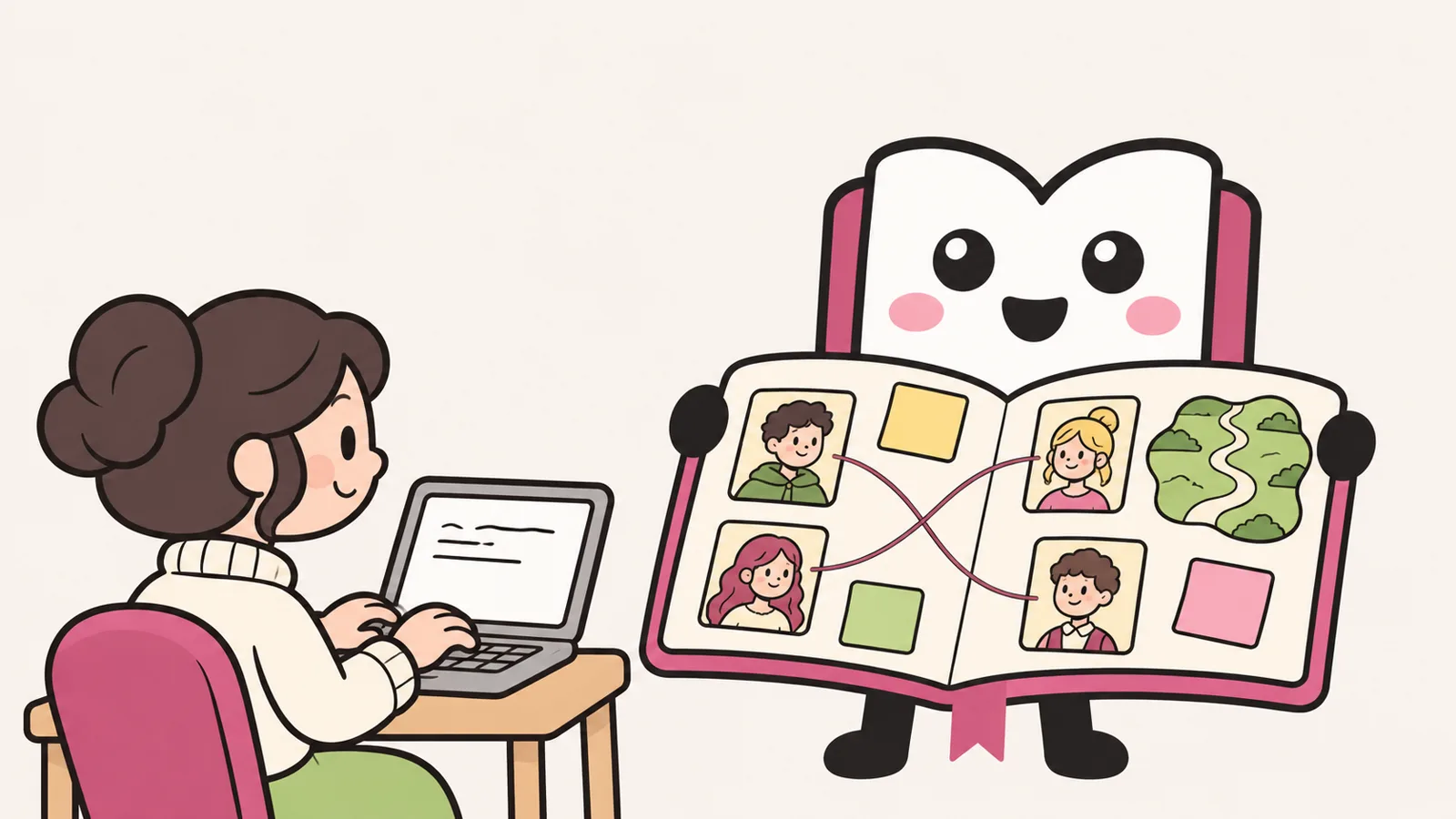
A story bible is a single note that collects everything in your story that must not change. Split it into these three parts, and it becomes easier both to add to and for the AI to read.
Established facts
- The rules of the world
- How the characters are related
- Who knows which secret
- How each character looks right now (injuries, hair, clothes)
List of names
- Names and how to pronounce them
- Who calls whom what
- What each character calls themselves
- Names of places, shops and objects
Chapter summaries
- Up to 3 lines per chapter
- Clues you have planted
- The chapter where each will pay off
Established facts: obvious to you, but the AI needs them in writing
The thing that breaks a story fastest is "who knows what." If only the main character learned a secret in chapter 2, and the other lead casually mentions it in chapter 5, readers will stumble. If someone hurt their arm in chapter 3, they should still be wearing a bandage in chapter 4. It's obvious to the writer, but the AI won't know unless you write it down and hand it over.
List of names: stop spelling drift
A common inconsistency is the same character being written differently from chapter to chapter, such as "Ken," "Kenji" and "Kenny." Settle on one spelling and pronunciation, and write what people call each other in pairs, like "Mina calls Ken 'Ken.'"
Chapter summaries: up to 3 lines per chapter
You'll paste this every time, so keep it to 3 lines per chapter. For each clue, note which chapter it was planted in and which chapter you plan to pay it off in.
When we went back through the 22 story requests submitted to Original Novel on November 6–7, 2026, the fields describing characters' looks were very detailed, but there were also cases where the field for the other lead contained the plot all the way to the ending. When plot gets mixed into a character field, the AI may read it as that character's personality or goal. In your story bible, too, keep "characters" and "plot" in separate sections.
[STORY BIBLE] (paste this at the very top every time you ask for a chapter)

■ Established facts (do not change)
- Rules of the world: ___
- How the characters are related: ___
- Who knows what: ___ does not know ___'s secret
- How they look now (as of this chapter): ___ has a bandage on the left arm / hair is shoulder-length

■ List of names
- Main character: ___ (pronunciation: ___ / calls themselves: ___)
- Other lead: ___ (calls the main character "___")
- Places and objects: ___

■ Chapter summaries (up to 3 lines per chapter)
- Chapter 1: ___
- Chapter 2: ___ (clue: planted ___; plan to pay it off in chapter ___)
A chapter prompt template that works in ChatGPT, Claude and Gemini
Once your story bible is ready, ask for each chapter with the template below. It works in all three AIs. Two things matter most.
- Paste the last paragraph of the previous chapter exactly as it is: when the AI sees the actual text, it's easier for it to keep the same tone and point of view.
- Have it list "facts to add to the story bible": if the AI lists new names and newly established facts as bullet points, updating your story bible gets much easier.
The story bible above contains the rules of this story. Don't write anything that contradicts it. When in doubt, follow the story bible.

[THIS CHAPTER] Chapter ___ (about 1,500 words)
[WHAT HAPPENS IN THIS CHAPTER] ___ (keep it to one or two things)
[HOW THE CHAPTER ENDS] ___
[POINT OF VIEW AND STYLE] Same as before (___ person, ___ tone)
[LAST PARAGRAPH OF THE PREVIOUS CHAPTER]
(paste the text here exactly as it is)

[WHEN YOU'RE DONE] After the chapter, list "facts to add to the story bible" as bullet points (new names and what people call each other, newly established facts, clues planted).
Ask for one chapter at a time. If you check each chapter against the story bible, you'll catch drift while it's still small.
Novels with ChatGPT, Claude, Gemini
- Write down established factsWho knows what Looks: injuries, hair
- Make a list of namesNames, pronunciation Who calls whom what
- Chapter summariesUp to 3 lines each Note planted clues
- Paste the bible, ask 1 chapter at a timePaste the last paragraph of the previous chapter
- Have it list new factsNew names and facts as bullet points
- Fix one spot at a timeSay where and how Change nothing else
- Then update the story bibleSo the same slip doesn't come back
ChatGPT prompts for writing a novel, and where to keep your story details
In ChatGPT, create a project (Projects) for each story and gather your story bible there. Projects let you keep related chats, files and instructions in one place (availability depends on your plan and other factors).
- Create a project named after your story
- Add the story bible as a file or as pasted text (the maximum number of files depends on your plan, so check the official information)
- In the project's instructions (Project settings), write how this story in particular should be written, such as style and point of view
- Ask for each chapter with the Figure 3 template. You can turn replies you want to keep into project material with "Add to project sources"
Project instructions apply only inside that project and take priority over your general custom instructions. Custom instructions, on the other hand, apply to every chat, so use them only for preferences that fit any story, such as "keep dialogue short." The saved length is listed as up to 1,500 characters on Free and Go, and up to 5,000 characters on Plus, Pro and some other plans (as of November 11, 2026).
A ChatGPT novel prompt example
Keep "what happens in this chapter" in Figure 3 to one or two things, and spell out how the chapter ends. That stops the AI from rushing ahead and writing the next chapter's events too.
Example: "[WHAT HAPPENS IN THIS CHAPTER] Ken finds an old letter from his grandmother and can't decide whether to show it to Mina. [HOW THE CHAPTER ENDS] Don't resolve it; end by revealing only the sender's name."
Tips for writing a novel with Claude: projects and fresh chats
Claude also has projects (Projects). The documents and text you add (knowledge) are used as background in that project's chats, and you can write instructions too. The free plan lets you create up to 5 projects. On paid plans, when the knowledge gets close to the limit of what Claude can read, it automatically switches to a mode that searches for and reads only the parts it needs, which Anthropic says expands how much it can handle by up to about 10 times. Here are three tips.
- Put the story bible in the knowledge, and write "the story bible takes priority" in the instructions: then you don't have to write the first line of Figure 3 every time.
- Don't keep one conversation going too long: every few chapters, start a new chat inside the same project. Once a conversation gets close to its limit and is summarized, small rules may not survive. Long conversations also use more of your usage allowance.
- Update the story bible before starting a new chat: move the "facts to add to the story bible" into the story bible in the knowledge before moving on.
How to keep Gemini from forgetting your story details
In Gemini, there are two places to keep your story bible. November 2026 is a changeover period, so check the dates too.
Keep the story bible in a notebook
A notebook is a place where you can keep working with Gemini while it remembers the material you added (sources), your instructions and your earlier conversations. Add the story bible as a source, and write instructions such as style in the notebook's settings (Notebook settings). You can add up to 600 sources, depending on your plan. Features that use past conversations, such as notebook memory, work only when Keep Activity (the setting that saves your activity) is on. These features are rolling out gradually, so some accounts can't use them yet.
Gems are being replaced by skills
For personal Google accounts (18 and over), "Gems," which hold instructions and files, become read-only (you can't use or edit them) on November 17, 2026, and are deleted on December 17. They are moved to skills automatically, but audio, video, older Office formats (such as .doc), compressed files and some other files are not moved. If your story bible is in a Gem, it's safest to download it by December 17.
Skills let you save instructions you use repeatedly, and you can call one in any chat by typing "/" and the skill's name (this is planned to change to "@"). Gemini may also use a skill on its own when it fits the conversation. Files can total up to 100 MB (as of November 11, 2026, for personal accounts 18 and over). You can turn "how to write this story" into a skill and attach the story bible as a file.
If you have two or more stories, write the story's title and "use this when continuing this story" in the skill's description, which makes it less likely that another story's skill gets used. If you paste the Figure 2 story bible with every chapter, changes to these features won't affect you.
Fix one thing at a time: what to do when you spot an inconsistency
Even with a story bible, inconsistencies won't always drop to zero. When you find one, don't ask the AI to "fix the whole thing." Fix it one spot at a time. Rewriting everything changes parts you didn't want changed and tends to create new inconsistencies.
- 1Read it and mark any contradictions
- 2Check against the story bible and decide which version is right
- 3Ask it to fix just that one spot (and change nothing else)
- 4Add the corrected fact to the story bible
For step 3, give the location and the fix, one at a time. For example: "In the second paragraph of chapter 3, Mina calls Ken 'Kenny.' Change it to 'Ken.' Don't change any other sentences."
Step 4 is the one people miss. If you fix only the text and not the story bible, the same inconsistency comes back in the next chapter. If you want to change a detail partway through, update the story bible first, then ask for the next chapter.
If you also use AI for illustrations, adding the "how they look now" part of your story bible to the image instructions prevents slips like a character who was injured looking good as new in the next picture.
First, read a story the AI has built chapter by chapter
You can see what a story bible prevents by reading a story built up over many chapters. Original Novel (original-novel.com) is a fiction site launched in November 2026 where you can create stories with AI and read them. For stories still in progress, you can create a continuation or a different turn of events from any chapter you like.
Read stories the AI has built chapter by chapter
See more: Read stories the AI has built chapter by chapter ›Stories the AI wrote chapter by chapter on this site, sorted by most read.
Summary
Whichever you use, ChatGPT, Claude or Gemini, what decides whether the AI forgets your story details is whether you hand over the story bible every time. Collect your established facts, list of names and chapter summaries in the story bible, ask for one chapter at a time, fix one thing at a time, and update the story bible after every fix. As a rule of thumb, keep it in a project in ChatGPT and Claude, and in a notebook or a skill in Gemini.
Sources (date checked)
- Projects in ChatGPTOpenAI Help Center / Checked Nov 18, 2026
- ChatGPT Custom InstructionsOpenAI Help Center / Checked Nov 18, 2026
- Memory in ChatGPTOpenAI Help Center / Checked Nov 18, 2026
- What are projects?Claude Help Center (Anthropic) / Checked Nov 18, 2026
- How large is the context window on paid Claude plans?Claude Help Center (Anthropic) / Checked Nov 18, 2026
- Use Gems in Gemini AppsGoogle (Gemini Apps Help) / Checked Nov 18, 2026
- About the transition from Gems to skillsGoogle (Gemini Apps Help) / Checked Nov 18, 2026
- Organize your projects with notebooks in Gemini AppsGoogle (Gemini Apps Help) / Checked Nov 18, 2026
FAQ
What is a good ChatGPT prompt for writing a novel?
Paste your story bible (established facts, a list of names, chapter summaries) first. Below it, write what happens in this chapter, how the chapter should end, and the last paragraph of the previous chapter, and ask for one chapter at a time. If you have it list "facts to add to the story bible" after the chapter, keeping the story bible up to date gets much easier. Keep the story bible in a project so you don't have to hunt for it every time.
What should I do when Gemini forgets my story details?
Make a story bible and either add it as a source in a notebook or paste it every time you ask for a chapter. According to Google's official notice, Gems on personal accounts (18 and over) become read-only on November 17 (their contents move to skills automatically) and are scheduled to be deleted on December 17 (as of November 11, 2026). If your story bible is in a Gem, some files won't be moved, so it's safest to download it early.
Any tips for writing a long novel with Claude?
Put the story bible in the project knowledge, and start a new chat inside the same project every few chapters. According to Anthropic's official help, on paid plans with the "Code execution" setting turned on, earlier messages are summarized when a conversation gets close to its limit. If you update the story bible before starting a new chat, small rules are much less likely to get lost.
Which is better for writing a novel: ChatGPT, Claude or Gemini?
There's no simple answer. All three have a way to keep instructions and reference material together (projects, notebooks, skills and so on), so if you write by handing over a story bible, they work in much the same way. Start with the AI you already use, and check prices and usage limits in each company's official information.
Can I put my novel's details in ChatGPT's custom instructions?
It's better to keep each story's details in a project rather than in custom instructions. According to OpenAI's official help, custom instructions apply to every chat, while project instructions apply only inside that project and take priority over custom instructions. Use custom instructions only for writing preferences that apply to any story.